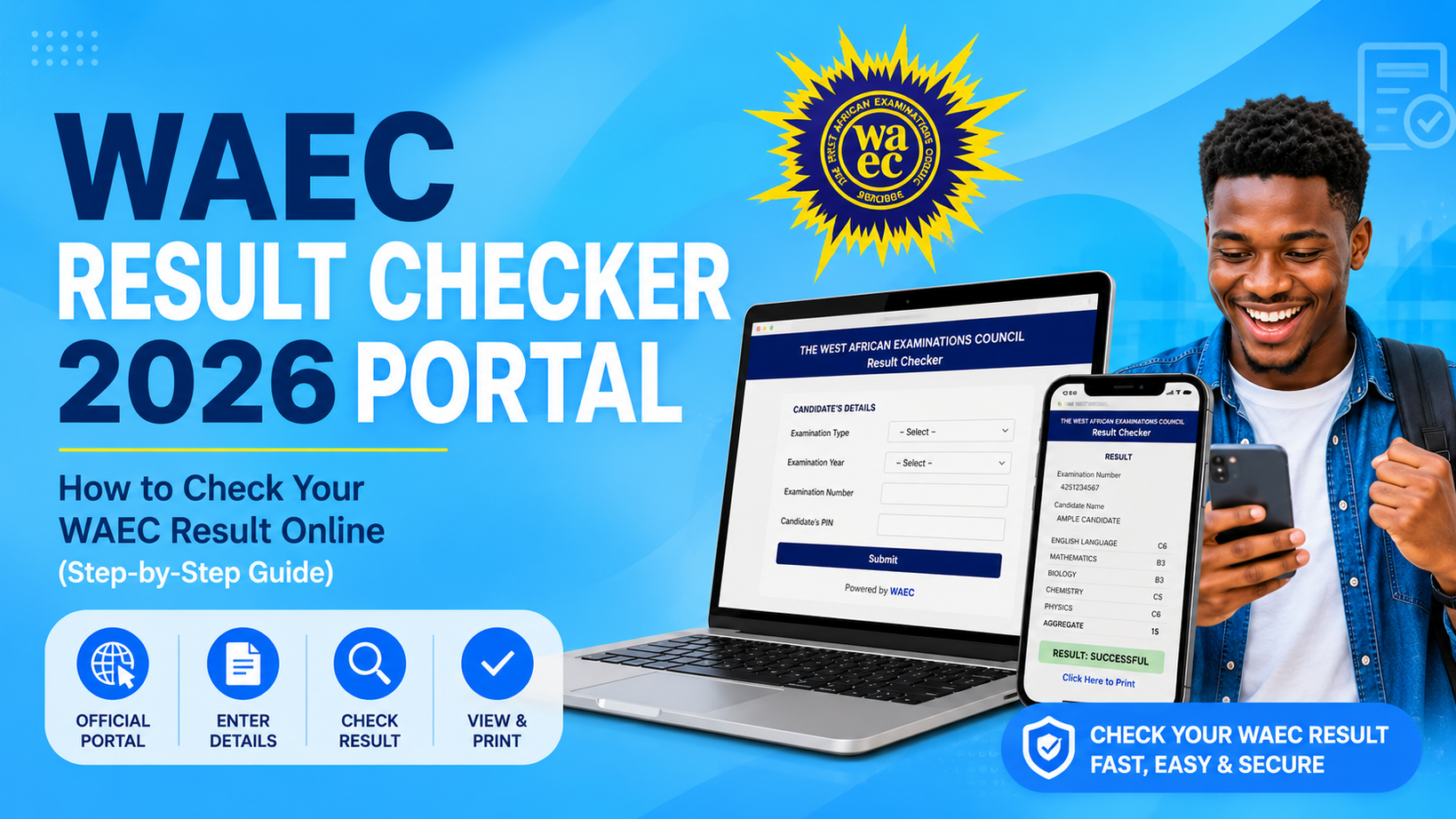
WAEC Result Checker 2026 Portal: How to Check Your WAEC Result Online (Step-by-Step Guide)
Welcome to mastercareer.com.ng, your trusted platform for verified information about Education, Scholarships, And real job opportunities in Nigeria, Here in this page you will Learn how to check your WAEC Result 2026 online using the official WAEC Result Checker Portal. See the requirements, step-by-step guide, common errors, scratch card details, and FAQs.
WAEC Result Checker 2026 Portal: How to Check Your Result Online (Step-by-Step Guide)
Has WAEC released the 2026 WASSCE results? If you’re searching for the WAEC Result Checker 2026 Portal, this guide explains everything you need to know, including the official website to use, the information you’ll need before checking your result, and the exact steps to view and print your result online.
Whether you sat for the 2026 WASSCE for School Candidates or WAEC GCE (Private Candidates), checking your result is straightforward once you have the correct details.
This guide also covers common errors candidates encounter, how to fix them, and answers frequently asked questions to help you avoid unnecessary stress.
WAEC Result Checker 2026 at a Glance
| Item | Details |
|---|---|
| Exam Body | West African Examinations Council (WAEC) |
| Service | WAEC Result Checker |
| Result Status | Available after official release |
| Official Result Portal | https://www.waecdirect.org |
| Result Checking Method | Online or SMS (where available) |
| Requirement | Examination Number, Exam Year, Result Checker PIN/e-PIN, Serial Number |
Can I Check My WAEC Result 2026 Now?
Yes, but only after WAEC officially releases the results.
Once the results are released, candidates can check them through the official WAEC Result Checker Portal by entering:
- WAEC Examination Number
- Examination Year
- Examination Type
- Result Checker PIN or e-PIN
- Serial Number
If the results have not yet been released, the portal may display an error or indicate that your result is unavailable. In that case, wait for WAEC’s official announcement before trying again.
What Is the WAEC Result Checker Portal?
The WAEC Result Checker Portal is the official online platform where candidates can securely access their examination results after they have been released by the West African Examinations Council (WAEC).
Using the portal, you can:
- View your WAEC result online.
- Check grades for all registered subjects.
- Print your result for admission or employment purposes.
- Save a digital copy of your result for future reference.
To avoid scams, always use the official WAEC Result Checker Portal:
Do not enter your examination details or scratch card PIN on unofficial websites.
What You Need Before Checking Your WAEC Result
Before opening the WAEC Result Checker Portal, make sure you have the following information ready:
1. WAEC Examination Number
This is your unique 10-digit examination number, printed on your WAEC photocard or examination slip.
It usually consists of your centre number and candidate number.
Example:
4250101001
Entering an incorrect examination number is one of the most common reasons candidates receive an “Invalid Candidate Number” error.
2. Examination Year
Select the year you wrote the examination.
For example:
- 2026
- 2025
- 2024
Choosing the wrong examination year may prevent your result from displaying.
3. Examination Type
You must choose the correct examination category.
Common options include:
- WASSCE for School Candidates
- WASSCE for Private Candidates (First Series)
- WASSCE for Private Candidates (Second Series)
Selecting the wrong examination type can also lead to an error.
4. WAEC Result Checker PIN or e-PIN
A WAEC Result Checker PIN is a unique code used to access your examination result.
The PIN is available on:
- WAEC Scratch Card
- WAEC e-PIN Voucher
Without a valid PIN or e-PIN, you will not be able to view your result online.
5. Scratch Card Serial Number
In addition to the PIN, WAEC requires the Serial Number printed on the scratch card or e-PIN voucher.
Enter it exactly as it appears to avoid validation errors.
6. Internet Connection
A stable internet connection helps the WAEC portal load properly and reduces the chances of connection timeouts while checking your result.
Where Can I Buy a WAEC Result Checker PIN?
If you don’t already have a valid PIN or e-PIN, you can obtain one from authorized sources such as:
- WAEC offices
- Accredited banks
- Approved WAEC agents
- The official WAEC e-PIN sales platform
Avoid buying scratch cards from unverified individuals or social media sellers, as used or fake PINs may not work.
How to Check WAEC Result 2026 Online (Step-by-Step)
Once WAEC officially releases the 2026 WASSCE results, you can check your result online in just a few minutes. Follow these steps carefully to avoid common errors.
Step 1: Visit the Official WAEC Result Checker Portal
Open your preferred web browser (such as Chrome, Edge, Firefox, or Safari) and visit the official WAEC Result Checker Portal:
Always use the official portal to protect your personal information and avoid fake websites that may steal your result checker PIN.
Step 2: Enter Your WAEC Examination Number
Type your 10-digit WAEC Examination Number exactly as it appears on your examination slip or photocard.
For example:
4250101001
Before moving to the next step, double-check that every digit is correct. Even one incorrect number can prevent your result from being displayed.
Step 3: Select Your Examination Year
Click the Examination Year drop-down menu and select the year you sat for the examination.
If you wrote this year’s examination, choose:
2026
Selecting the wrong examination year is one of the most common reasons candidates receive an error message.
Step 4: Choose Your Examination Type
Next, select the correct examination category.
Examples include:
- WASSCE for School Candidates
- WASSCE for Private Candidates (First Series)
- WASSCE for Private Candidates (Second Series)
Ensure you choose the option that matches the examination you actually wrote.
Step 5: Enter Your Result Checker PIN
Locate the 12-digit Result Checker PIN printed on your WAEC Scratch Card or e-PIN voucher.
Enter the PIN carefully without adding spaces or unnecessary characters.
If the PIN has already been used beyond the allowed number of checks, the portal may display an error.
Step 6: Enter the Serial Number
Below the PIN field, enter the Serial Number found on your WAEC Scratch Card or e-PIN voucher.
Like the PIN, the serial number must be entered exactly as printed.
Step 7: Click “Submit”
After confirming that all the information is correct, click the Submit button.
If your details are accurate and WAEC has released your result, your result will appear on the screen within a few seconds.
You can then:
- View all your subject grades.
- Print your result.
- Save it as a PDF.
- Use it for admission, scholarship, or job applications.
What Information Will Appear on Your WAEC Result?
After successfully checking your result, you should see details such as:
- Candidate’s Full Name
- Examination Number
- Centre Number
- Examination Year
- Examination Type
- Subjects Registered
- Grades Obtained
- Result Status
Take a moment to confirm that your personal details are correct before printing or downloading the result.
How to Print Your WAEC Result
After your result appears on the screen, it’s a good idea to print a copy for future use.
Here is how:
- Click “Print Result” if the option is available.
- Alternatively, press “Ctrl + P” (Windows) or “Command + P” (Mac).
- Select your printer if you want a hard copy.
- To save a digital copy, choose “Save as PDF.”
- Click “Save” and store the file in a safe location.
Many universities, scholarship providers, and employers may request a printed copy of your WAEC result during their application process.
Can I Check My WAEC Result on My Phone?
Yes.
You do not need a computer to check your WAEC result. Any smartphone with an internet connection can access the official WAEC Result Checker Portal.
Simply:
- Open your browser.
- Visit www.waecdirect.org.
- Enter your examination details.
- Click Submit.
The portal is mobile-friendly and works on most Android and iPhone devices.
How to Check WAEC Result via SMS
If you don’t have access to the internet, you may be able to check your WAEC result through SMS (where the service is available).
Follow these steps:
- Open the Messages app on your phone.
- Type your message in the required format:
WAECExamNumberPIN*ExamYear
Example:
WAEC4250101001123456789012*2026
- Send the message to the shortcode provided by WAEC for your country or mobile network.
Note: SMS result-checking services may not be available in every country or at all times. Standard SMS charges also apply. If the service is unavailable, use the official WAEC Result Checker Portal instead.
Why Your WAEC Result May Not Show
Sometimes candidates complete all the steps correctly but still cannot access their results. This doesn’t always mean there is a problem with your examination.
Some common reasons include:
- The results have not yet been officially released.
- An incorrect examination number was entered.
- The wrong examination year was selected.
- The examination type is incorrect.
- The Result Checker PIN or Serial Number was entered incorrectly.
- The scratch card has reached its usage limit.
- Temporary server congestion due to high traffic.
If you have confirmed your details are correct, wait a while and try again later.
Common WAEC Result Checker Errors and How to Fix Them
Sometimes candidates enter the correct details but still cannot access their results. In most cases, the problem is temporary or caused by incorrect information.
Below are some of the most common issues and their solutions.
1. Invalid Examination Number
Why it happens:
- You entered the wrong examination number.
- One or more digits are missing.
- You selected the wrong examination year.
How to fix it:
Check your examination slip or photocard and enter the examination number exactly as printed.
2. Invalid PIN
Why it happens:
- The PIN was entered incorrectly.
- The scratch card or e-PIN has already been exhausted.
- The PIN is not valid.
How to fix it:
Carefully re-enter the PIN. If the problem persists, verify that the PIN has not exceeded its allowed number of result checks.
3. Invalid Serial Number
Why it happens:
The serial number does not match the Result Checker PIN.
How to fix it:
Check both numbers on your scratch card or e-PIN and enter them correctly.
4. Result Not Yet Released
Why it happens:
WAEC has not officially released the examination results.
How to fix it:
Wait for WAEC’s official announcement before checking again.
5. Candidate Number Not Found
Why it happens:
- Wrong examination type selected.
- Wrong examination year selected.
- Typographical error.
How to fix it:
Confirm your examination details and try again.
6. Scratch Card Usage Exceeded
Most WAEC scratch cards can only be used a limited number of times.
If the usage limit has been reached, you’ll need another valid Result Checker PIN or e-PIN.
7. Website Not Loading
This usually happens when many candidates are checking their results at the same time.
Solution:
- Refresh the page.
- Wait for a few minutes.
- Try again during off-peak hours, such as early morning or late evening.
8. Slow Internet Connection
A weak internet connection may prevent the portal from loading properly.
Switch to a more stable network and try again.
9. Browser Problems
Sometimes an outdated browser or cached data can cause loading issues.
Try:
- Refreshing the page.
- Clearing your browser cache.
- Using another browser.
- Opening the portal in Incognito or Private Mode.
10. Result Withheld
If your result shows “Withheld”, it means WAEC has temporarily withheld it while investigating suspected examination malpractice or other issues.
You should wait for WAEC to complete its review before taking any further action.
Understanding WAEC Grades
Your WAEC result uses the following grading system.
| Grade | Meaning |
|---|---|
| A1 | Excellent |
| B2 | Very Good |
| B3 | Good |
| C4 | Credit |
| C5 | Credit |
| C6 | Credit |
| D7 | Pass |
| E8 | Pass |
| F9 | Fail |
Generally, candidates who obtain at least five (5) credits, including English Language and Mathematics (where required), may meet the basic academic requirement for admission into many Nigerian universities, polytechnics, and colleges of education. However, specific institutions and courses may have additional admission requirements.
What to Do After Checking Your WAEC Result
After successfully checking your result, your next step depends on your performance.
If You Passed with the Required Credits
Congratulations!
You can proceed to:
- Apply for admission through JAMB.
- Apply for scholarships.
- Submit your result for job applications where required.
- Print and keep multiple copies for future use.
If You Did Not Meet Your Desired Grades
Don’t panic.
You still have several options:
- Register for the next WAEC GCE examination.
- Write NECO or NABTEB (where accepted).
- Combine two O’Level results if permitted by your chosen institution.
- Improve your performance before reapplying.
Many successful graduates today improved their results through a second examination attempt.
Tips to Keep Your WAEC Result Safe
Once you’ve accessed your result:
- Save a PDF copy on your phone or computer.
- Print at least two hard copies.
- Keep your examination number safe.
- Do not share your Result Checker PIN with strangers.
- Store your documents in a secure location for future admission or employment processes.
Frequently Asked Questions (FAQs)
Is the WAEC Result Checker Portal free?
Yes. The portal is free to access, but you’ll need a valid WAEC Result Checker PIN or e-PIN to view your result.
Can I check my WAEC result without a scratch card?
No. A valid Result Checker PIN or e-PIN is required to check your result online.
Can I check my WAEC result on my phone?
Yes. You can use any smartphone with an internet connection to access the official WAEC Result Checker Portal. https://www.waecdirect.org
How many times can I use a WAEC Result Checker PIN?
The number of permitted checks depends on WAEC’s current policy for the scratch card or e-PIN you purchased, But the current permission is 5 times validity checks. If the limit is reached, you’ll need another valid PIN.
Can I save my WAEC result as a PDF?
Yes. After your result appears on the screen, you can use your browser’s Print option and select Save as PDF.
What should I do if my result is withheld?
Wait for WAEC to complete its investigation and monitor official announcements for updates. Avoid relying on rumours circulating online.
Can I combine WAEC with NECO?
Yes. Many institutions in Nigeria accept a combination of WAEC and NECO results, provided their admission requirements allow it. Always confirm the policy of your preferred institution.
Is there an official WAEC mobile app for checking results?
WAEC has introduced digital services over time, but candidates should always verify current apps and services through official WAEC channels before downloading any application.
Conclusion
The WAEC Result Checker Portal 2026 provides a secure and convenient way for candidates to access their examination results online. By ensuring you have the correct examination number, exam year, examination type, and a valid Result Checker PIN or e-PIN, you can check your result within minutes once it has been officially released.
Always use the official WAEC Result Checker Portal, verify every detail before submitting, and keep copies of your result for future academic or professional use.
If you encounter any issues while checking your result, review the troubleshooting tips in this guide before assuming there is a problem with your examination record.
Disclaimer
MasterCareer.com.ng is an independent educational information platform and is not affiliated with the West African Examinations Council (WAEC). This guide is published to help candidates understand the WAEC result-checking process. For official announcements, result releases, and related services, always refer to WAEC’s official website and communication channels.
Recommended Posts;
List of Federal Universities In Nigeria 2026: Official JAMB Cut-Off Mark & Admission List (Updated)
Nursing Cut-Off Mark for 2026/2027: JAMB Score Required for Admission into Universities and Colleges
BUK Cut-Off Marks For 2026/2027 Admission Released: See All Courses and Scores
FUOYE Courses and Cut-Off Mark for 2026/2027: Full List & Admission Requirements
UI Cut-off Marks For 2026/2027 Admission| Full List of Courses For All Foculties
LAUTECH Admission 2026 Portal: Post-UTME, Direct Entry & Cut-Off Mark
UNN Courses and Cutt-off marks 2026/2027: Full list & Admission Update
Schools That Accept 140, 150 & 160 JAMB Scores In 2026: Complete List & Smart Admission Strategy
JAMB CAPS Login 2026: Access eFacility Portal & How Check Admission Status (Step-by-Step Guide)
Ahmadu Bello University (ABU) Zaria Cut-Off Marks 2026: Full Admission Guide For All Courses
FUDMA Cut-Off Marks 2026 for All Courses: Full Departmental Scores & Admission Guide
1 thought on “WAEC Result Checker 2026 Portal: How to Check Your WAEC Result Online (Step-by-Step Guide)”